openarch is the command line tool that installs and runs Hyland OpenArch with Docker Compose. The first post showed the whole install, and the second one showed Homebrew, Scoop, completion and the signed self-update. Releases 0.3 and 0.4 are about AI agents. 0.3 added help that a program can read, an MCP server and new commands for documents. 0.4 added an Agent Skill, a schema version for the workspace file, and tighter safety rules for agents. And the project has a logo now.
Status. The current release is 0.4.2. It is open source under the Apache-2.0 license, with binaries for Linux, macOS and Windows: github.com/AlfrescoLabs/openarch-cli.
Watch it on YouTube: youtu.be/uvh34rNqqGc
Help that a program can read
Every command now prints its help as JSON with --output json: the flags with their type, default and allowed values, the examples, and the exit codes. openarch help --output json describes every command at once. The exit codes are stable, and errors in JSON mode go to stdout as one document, with a hint.
The same data builds docs/llms.txt and the command reference. Tests fail when they are out of date, so they always match the CLI.
Documents
openarch documents can now upload, list and download:
openarch documents upload report.pdf --parent /projects
openarch documents list /projects
openarch documents content /projects/report.pdf --out report.pdf
openarch query "SELECT * FROM SysFile"
The MIME type comes from the file extension, or from the first bytes of the file. OpenArch stores the SHA-256 of the content, and documents content checks it on download. Note that OpenArch keeps the file but does not extract its text, so full-text queries search the name, the title and the description.
An MCP server
openarch mcp runs a Model Context Protocol server on stdio, so an AI agent can call the commands as tools. Each tool runs the real command with --output json, so the agent gets the same result as you do in the terminal. For Claude Code, it is one line: claude mcp add openarch -- openarch mcp --dir /path/to/my-openarch.
The server has some rules for safety:
- Tools never take a password, and no tool returns one.
- Tools that stop services or delete data (
down, clean, restore and others) exist only with --allow-destructive.
- The
init tool always keeps the secure defaults. Its options that can turn security off exist only with --allow-insecure.
- Long results are cut to about 4000 tokens, with a note on how to ask for less. Progress goes to MCP progress notifications.

An Agent Skill
Not every agent needs a server. Coding agents like Claude Code read Agent Skills: short instructions that they load when a task needs them. openarch skill install writes one to .claude/skills/openarch/SKILL.md in your project, or with --dir ~ for all your projects. It covers the install flow, the JSON output, the exit codes and the fixes for common failures. The skill is part of the binary, so it always matches your release. openarch skill show prints it.
A schema version for openarch.yaml
openarch.yaml now has schemaVersion: 2: the security options moved into a security: block. A workspace made by an older release still works, and commands print a warning. openarch migrate --dry-run shows the change as a diff, and openarch migrate writes it. A file written by a newer openarch gives a clear error that asks you to run openarch self-update. One note: releases up to 0.3.1 cannot read a version 2 file, so update openarch on every machine that uses the workspace.
See it run: two local agents
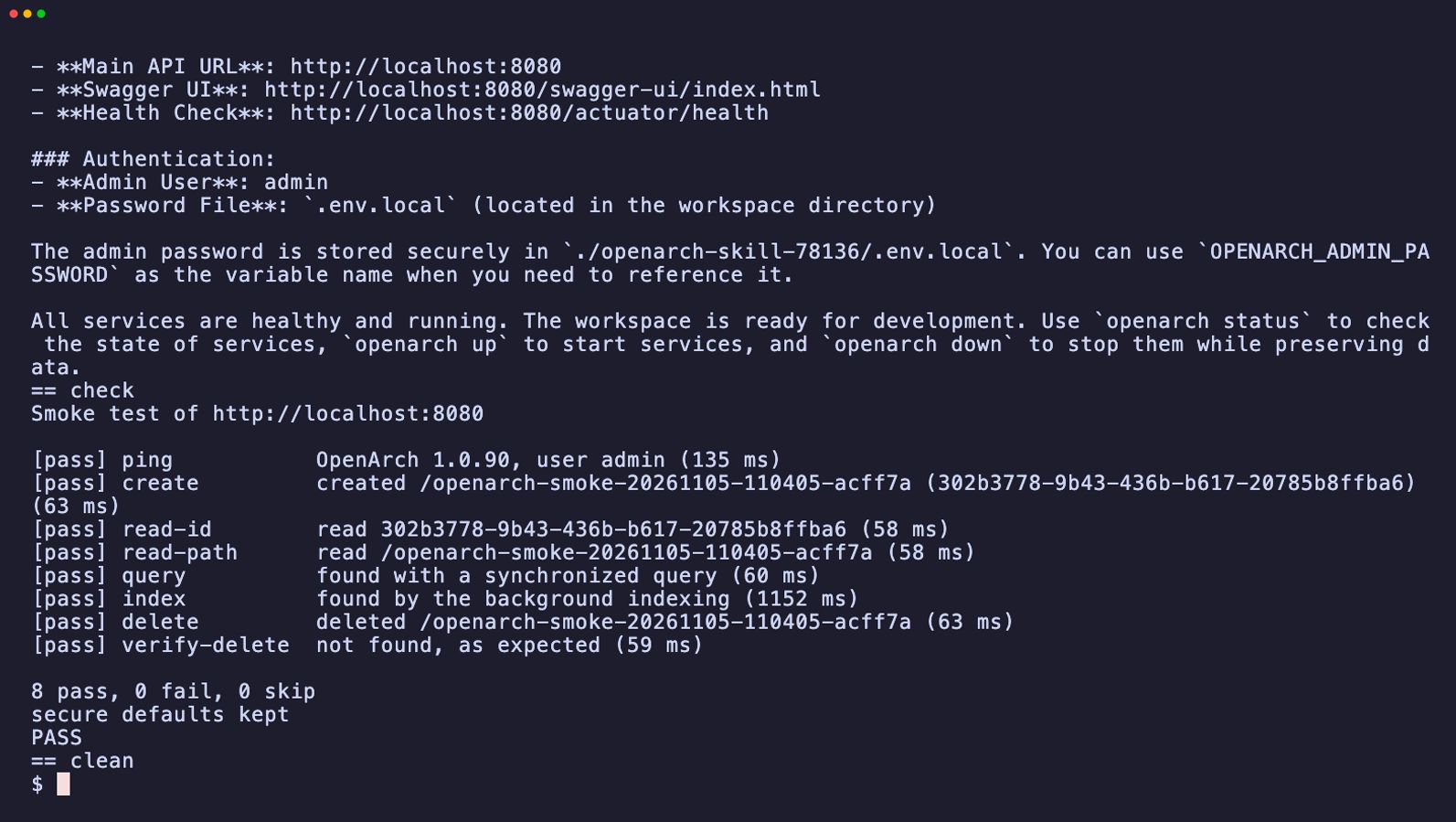
Can an agent really install OpenArch on its own? The repository has two examples that try it, with Docker Agent and a model that runs on your machine with Docker Model Runner. No cloud model and no API key.
Each run.sh gives the agent one task, then checks the result itself: it runs its own smoke test, and it fails when the agent turned off a secure default that the task did not mention. Both examples pass with GLM 4.7 Flash. Not every local model can do this: a model must make real tool calls, not tool calls written as text, and keep string arguments as they are. The example READMEs list what works.
Try it
Questions and feedback are welcome here in the Hyland Community, or as issues on GitHub.