I am facing some problems and questions with facets.
Problem 1: Facet fields (assigned schema's fields) don't get saved:
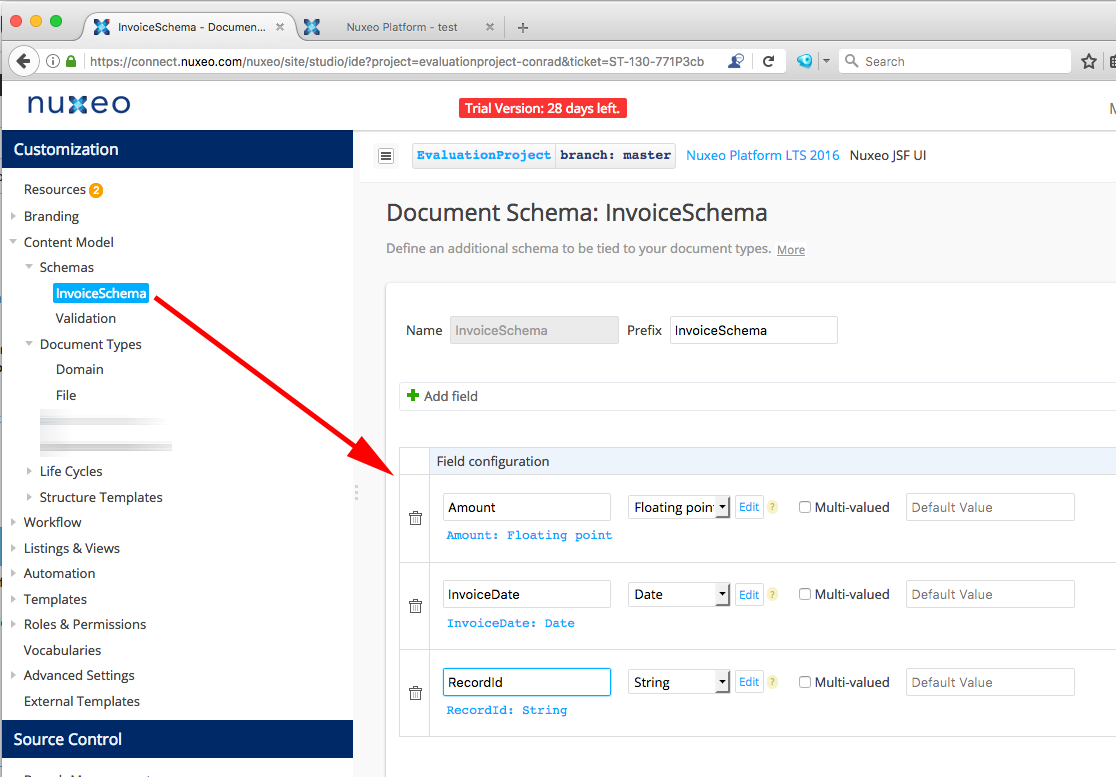
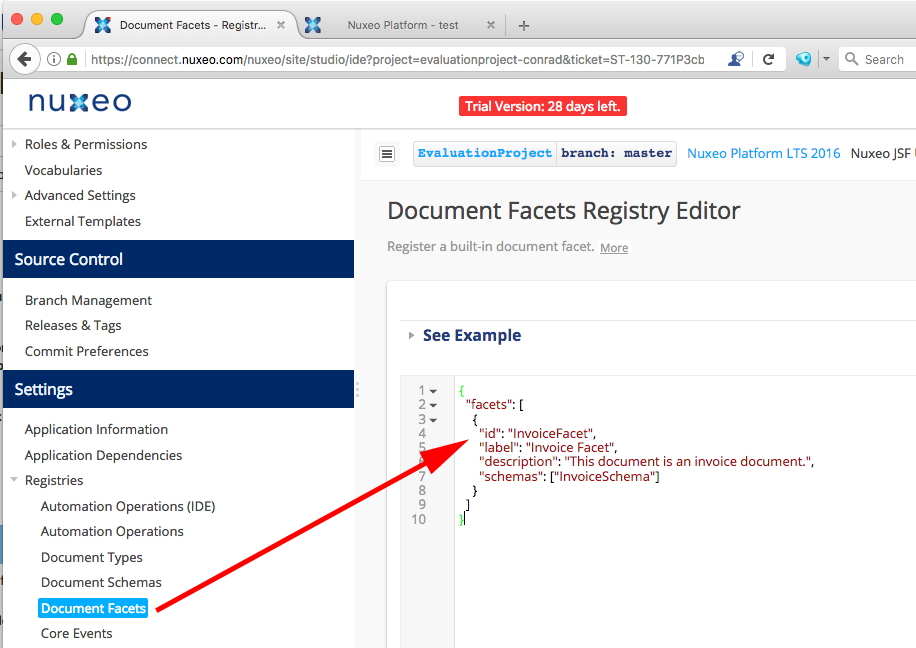
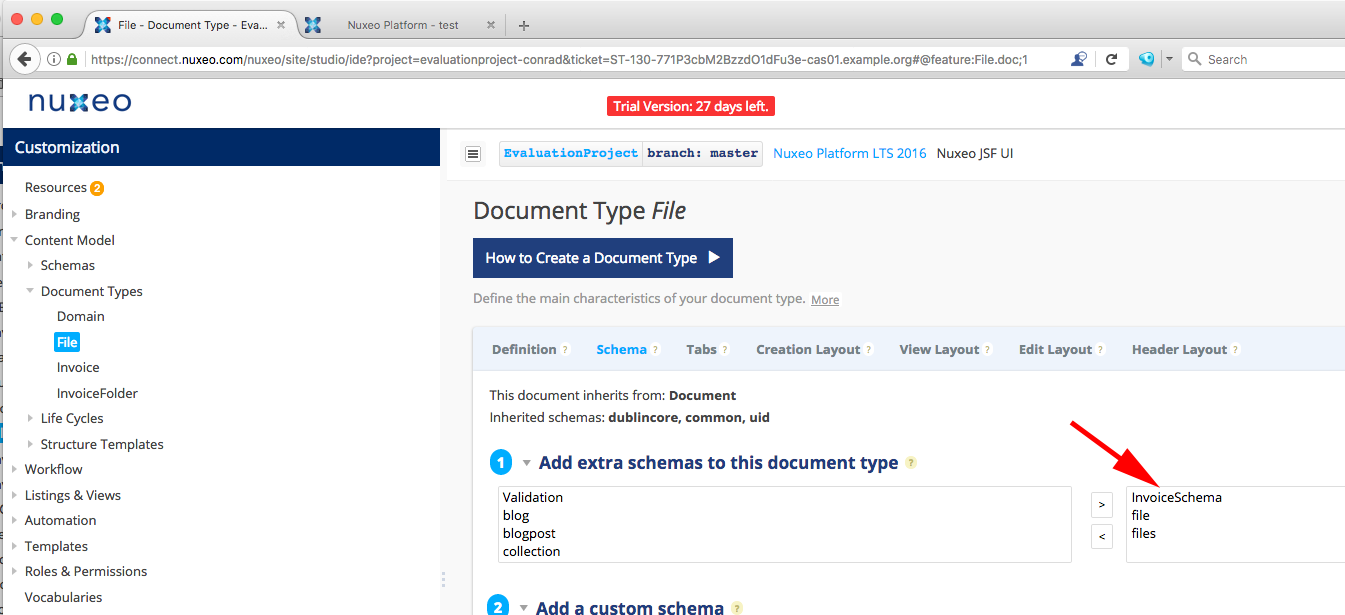
I have defined a schema called 'InvoiceSchema' and a facet called 'InvoiceFacet' and assigned the schema to the facet, like this:
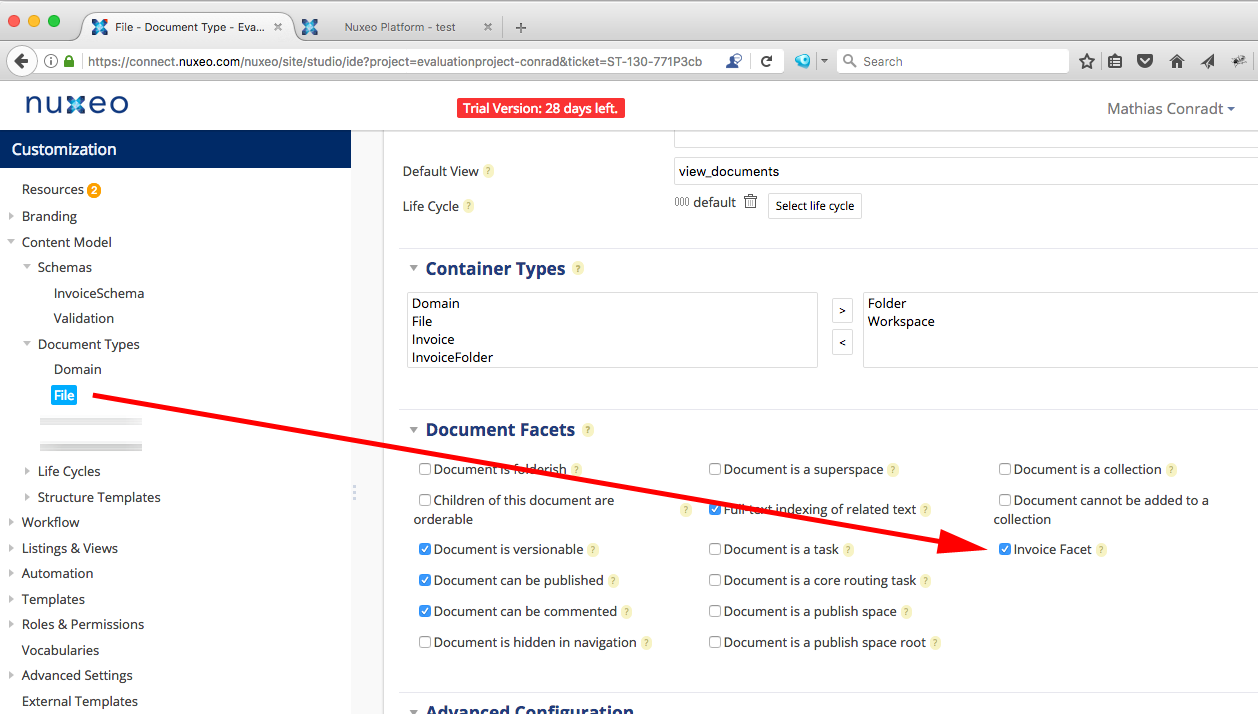
I enabled the facet for the document type 'File'
and I change the edit and view layout to display the fields:
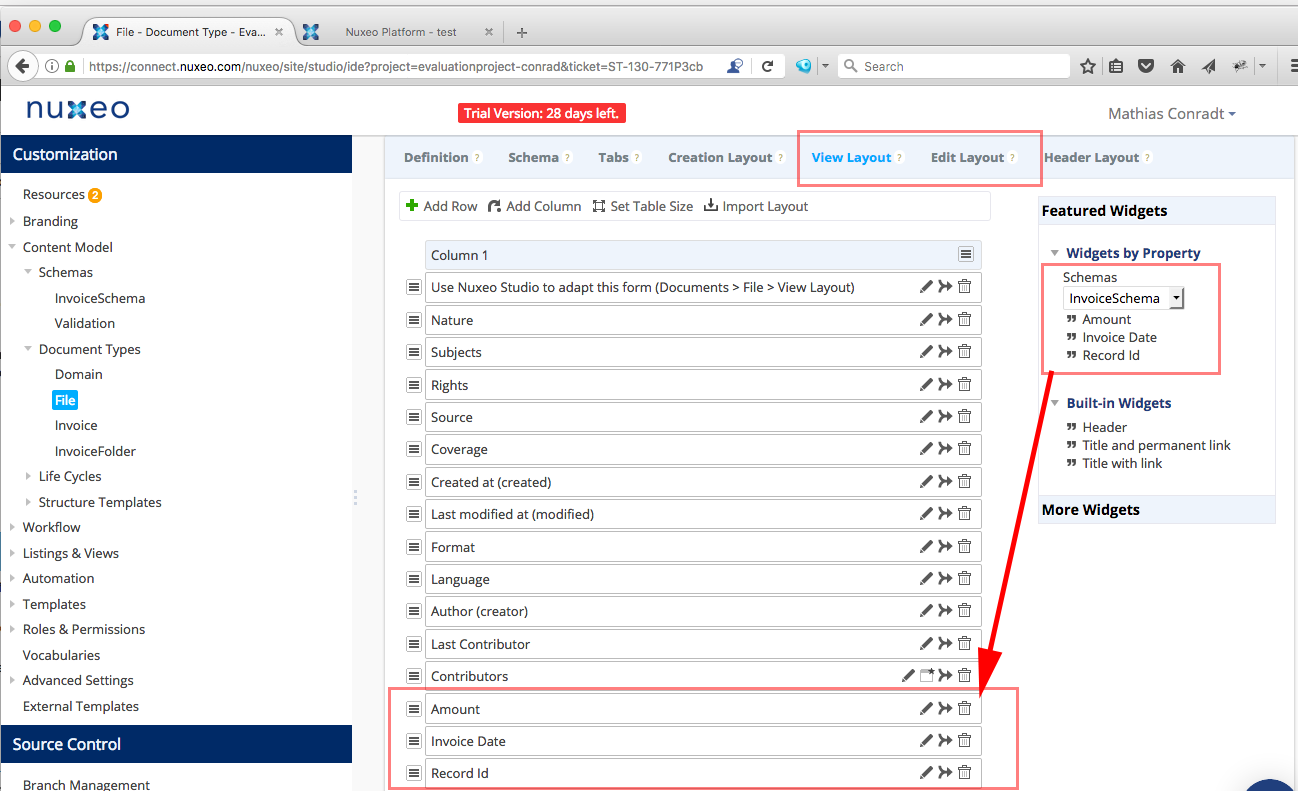
Back in the JSF UI and after the update, the fields get displayed in the view and edit layouts. However, when I edit the value, they don't get stored.
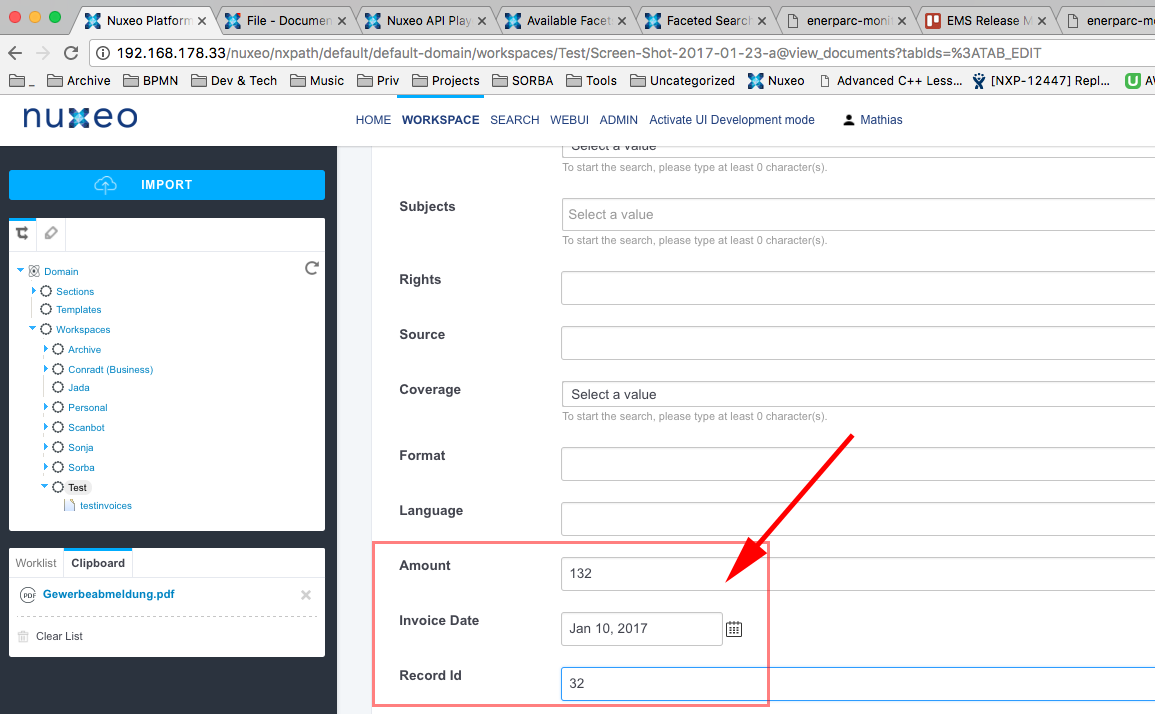
This is the view layout after saving the document. The confirmation message tells me that saving was successful, and values that I enter in other fields get updated just fine. Only the fields of my InvoiceSchema don't get saved.
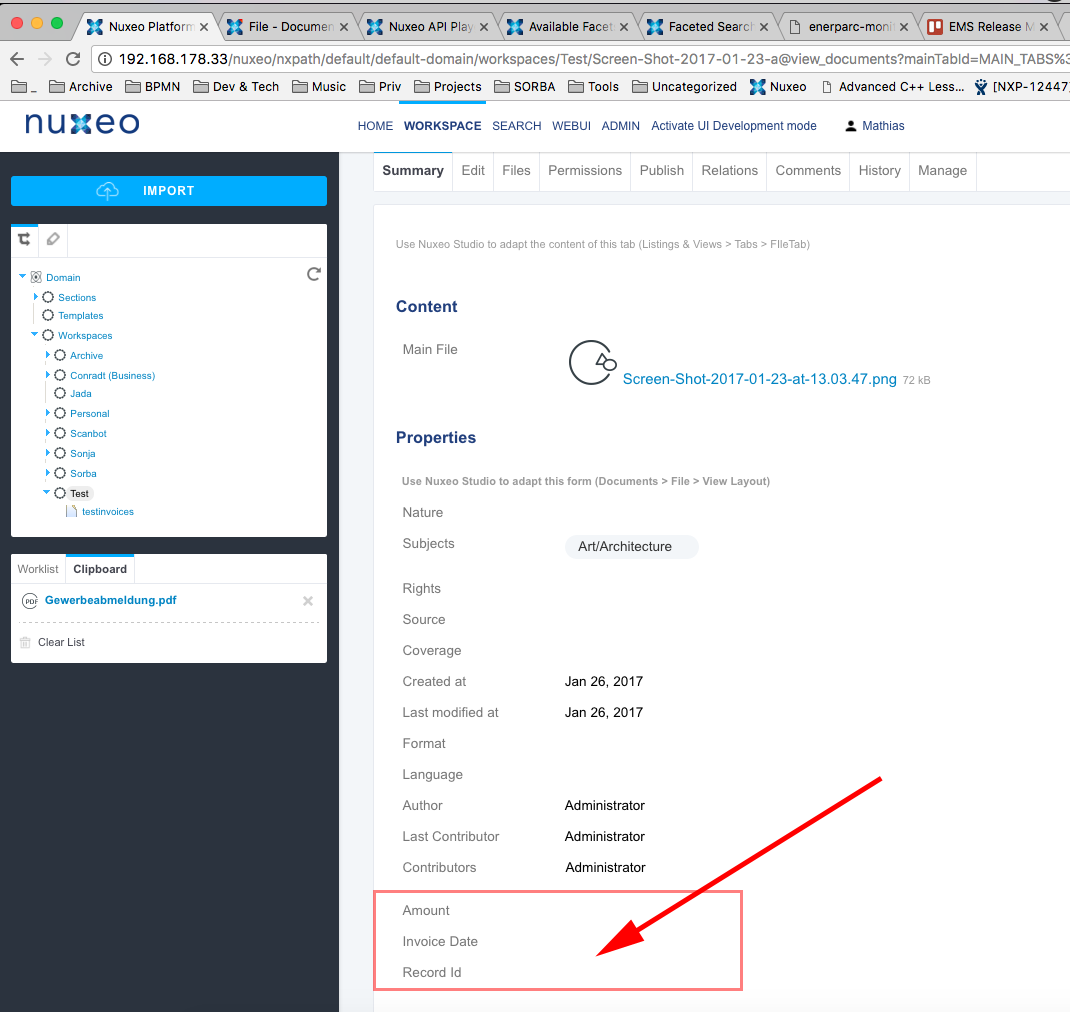
When I export the file as xml, I only see this in it:
<facet>InvoiceFacet</facet>
but I don't see the fields that I defined for my InvoiceSchema (like Amount, InvoiceDate, RecordId) anywhere in the xml.
Interestingly, if I don't use a facet that has my schema assigned, but add the schema directly to the File type, the problem does not exist and the values get saved. Looks like a bug to me?! Unfortunately I don't have a Jira account yet in order to submit it.
Update after Betrand's reply:
Hello Bertrand,
thanks for your reply. I understood the explanation you gave above about the registry as well as the xml extension points. Not sure though where I am supposed to define the schema itself (in my case, the 'InvoiceSchema').
Did I do it right via "Studio > Content Model > Schemas" or should I register the schema via "Studio > Settings > Registries > Document Schemas", or both. When I register the schema via the latter as well (additionally to having it defined under the Content Model > Schemas menu), then I get some validation errors like this:
https://snag.gy/5jz3Qi.jpg
saying "Invalid name 'InvoiceSchema' for a schema: this schema already exists in the default application". So I removed the schema from the registry again. (From what I understand, I shouldn't need to register the schema in the registry anyway, since what I define under "Content Model" should be known both by my local Nuxeo instance (since it's part of my package) as well as the Studio.)
So, I assume it's sufficient to just define it under the "Studio > Content Model > Schemas":
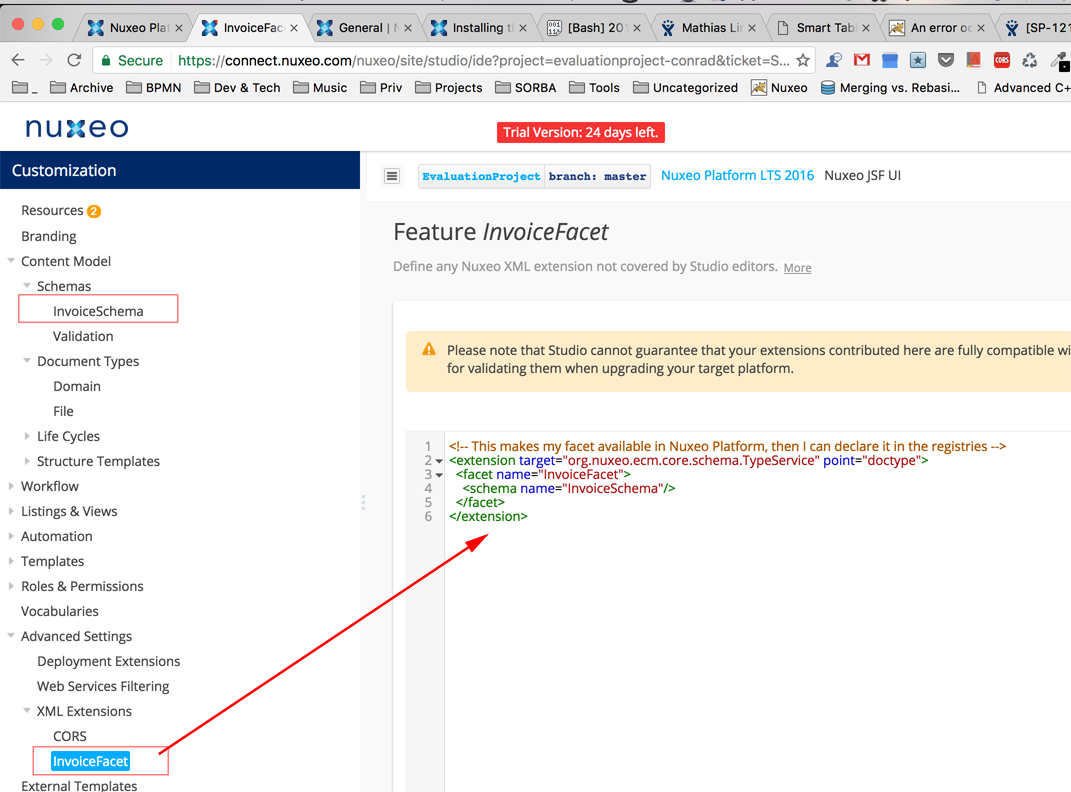
I tried it out and deployed that package. But still the properties don't get stored when I save the document.
Looking at my package jar that I deployed, the xml extension and the schema including the properties are all included.
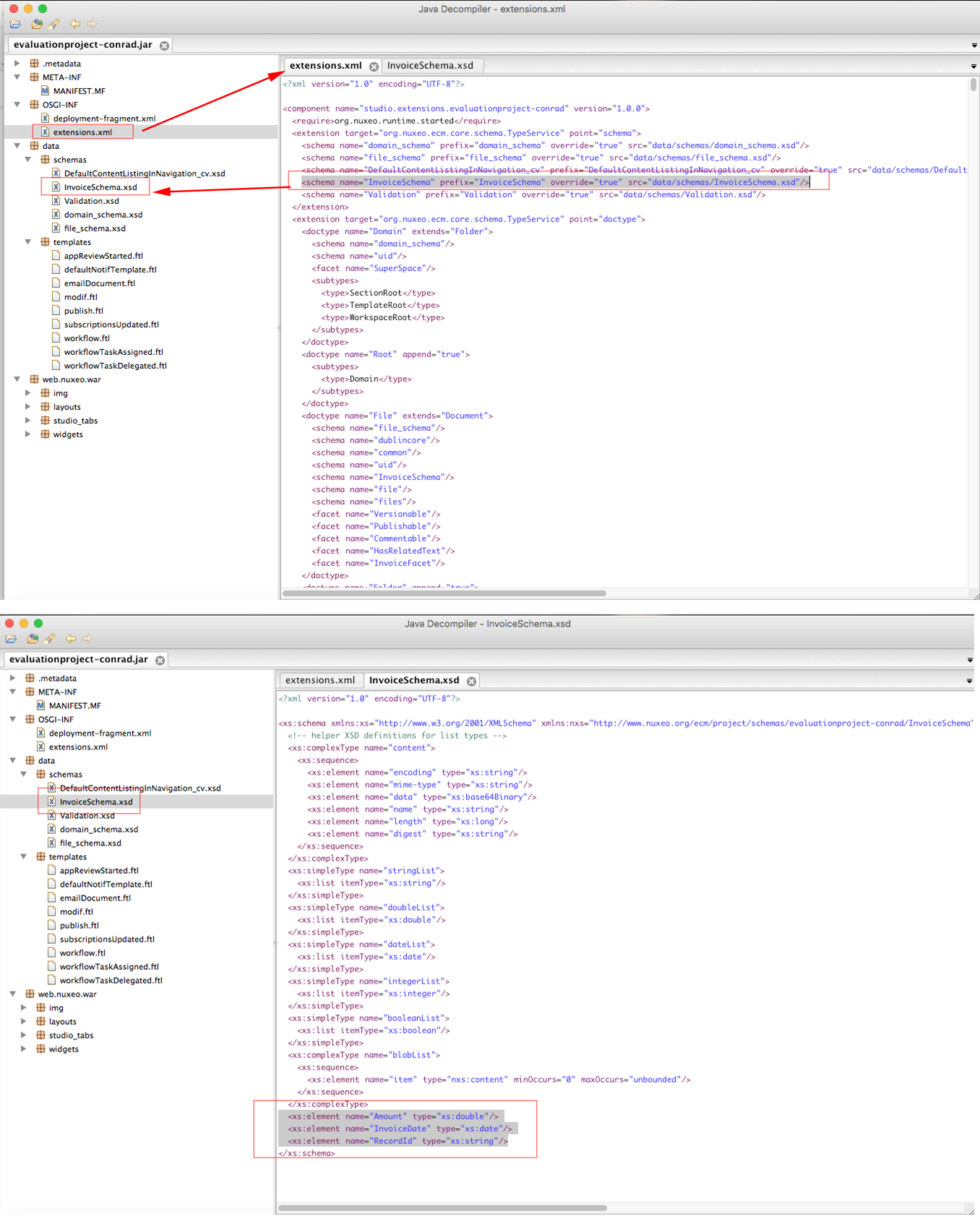
Checking the log, I see this:
2017-01-30 18:19:59,277 WARN [http-bio-0.0.0.0-8080-exec-17] [org.nuxeo.ecm.platform.el.DocumentModelResolver] org.nuxeo.ecm.core.api.model.PropertyNotFoundException: InvoiceSchema:InvoiceDate 2017-01-30 18:19:59,277 WARN [http-bio-0.0.0.0-8080-exec-17] [org.nuxeo.ecm.platform.el.DocumentModelResolver] org.nuxeo.ecm.core.api.model.PropertyNotFoundException: InvoiceSchema:Amount 2017-01-30 18:19:59,278 WARN [http-bio-0.0.0.0-8080-exec-17] [org.nuxeo.ecm.platform.el.DocumentModelResolver] org.nuxeo.ecm.core.api.model.PropertyNotFoundException: InvoiceSchema:RecordId
Problem 2: How can I define view layout and edit layout for documents with certain facets?
Let's say I have a facet that is not assigned to all documents (= not as described in problem 1), but only to some, for example when the facet gets assigned dynamically via an automation, and the facet has a schema with some additional property fields assigned. How can I show these fields in the view and edit layout based on whether the document has this facet or not? I cannot find this option in the Studio.
In Studio, I can only define the view and edit layouts fixed for a certain document type, but I cannot give any conditions, such as 'if the document has facet x applied'. How to solve this?
