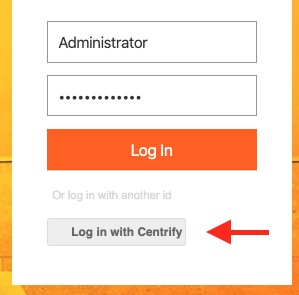
I would like to modify the CSS in the login.jsp page so our our SSO alternate login button doesn't look bad (screenshot):
We are using WebUI, and I can only find documentation for JSF UI: https://doc.nuxeo.com/nxdoc/how-to-override-the-login-page/, but this doesn't seem to apply fully to WebUI.
I've found the CSS elements to change, and even have the modifications ready, but I'm not sure where to put them. I suppose I could just edit the nuxeo_server/nxserver/nuxeo.war/login.jsp file, but that isn't good practice and would be prone to future errors.
It's too bad the CSS for the login screen can't be edited in in Studio/Configuration/Branding, otherwise this would be pretty easy. It's also unfortunate that the default CSS just looks bad when adding another login method or I wouldn't even need to do this.
Any help would be appreciated. Thanks.
